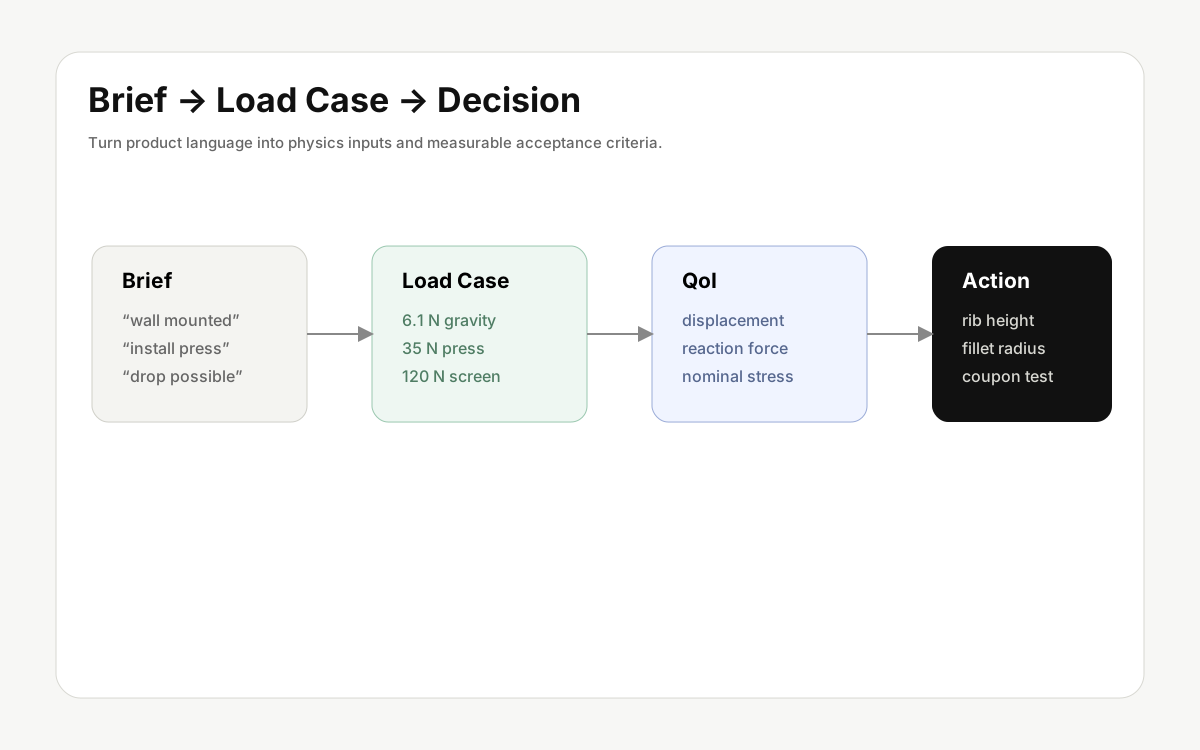
Simulation quality starts before the solver. The same CAD model needs different conditions depending on user context, environment, load path, temperature, and failure mode. That is why a useful CAE workflow begins with a product brief, not only with a file upload.
In an engineering workflow, the brief is not marketing copy. It is the source material for turning use context, constraints, risk assumptions, and acceptance criteria into physics inputs.
Start with the decision
A vague request such as “run structural analysis” is hard to trust. A better question is concrete: will this handle deflect too much under a 15 kg load, will temperature near the battery exceed the usable range after 30 minutes, or will the wall bracket weaken around the fasteners under repeated loading?
A good decision question names the region, includes measurable conditions, and makes the next action visible.
Translate use context into physics
Grip location becomes a constraint. Drop height becomes an impact assumption. Outdoor use becomes temperature, humidity, and UV context. A useful brief turns story into load, direction, duration, and repetition.
- Held in one hand: contact location, force direction, peak force, and repetition.
- Used inside a vehicle: heat, vibration, mounting direction, and UV assumptions.
- Mounted to a wall: screw locations, wall stiffness assumptions, and stress concentration near fasteners.
- May be dropped: drop height, impact direction, corner contact, and material impact behavior.
Define failure before reading color
Breakage, excessive displacement, overheating, loosened fasteners, and assembly interference are different failure modes. Defining them early makes the result easier to read.
For example, a plastic clip is not judged by maximum stress alone. Repeated attachment, manufacturing direction, local rib design, and tolerance stack-up may matter more than a single contour peak.
Set material and manufacturing assumptions
Early teams often do not know the final material. Still, the assumption should be explicit: ABS candidate, aluminum 6061 assumption, SLS nylon prototype, or final injection molding target. Manufacturing method changes what the result means.
Keep the first scope narrow
Early simulation works best when it focuses on one uncertain decision: a handle, hinge, fastener area, heat sink, battery bay, or motor mount. “Is the whole product safe?” is usually too broad. “Does increasing this wall from 2.0 mm to 2.6 mm reduce displacement enough?” is actionable.
End with actions
Results should lead to design actions: change rib placement, adjust fillets, remove a material candidate, refine a load assumption, or build a small prototype to check one behavior. RHXY connects Plan and Sim so a product brief can become load cases, boundary conditions, material assumptions, and reviewable reports inside the same project context.